
Getting Started Guide
How to Use Connected Papers
A practical guide to get you up and running with Connected Papers. Written by Delv Editorial, Delv Team.
Getting started with Connected Papers
After reading this guide, you will know how to create your first graph using Connected Papers and explore academic papers related to your chosen seed paper effectively.Step 1: Sign up and set up
- Go to Connected Papers.
- Click on the "Get Started" button.
- If you don’t have an account, click on “Sign up” and enter your email and password. If you prefer, you can also sign up using your Google account.
- Once registered, you’ll have access to the free tier, allowing you to create up to 5 graphs per month.
Step 2: Your first graph
- After logging in, click on the “Create a new graph” button.
- In the search bar, enter the title or DOI of your seed paper (for example, “Attention is All You Need”).
- Click on the paper that appears in the results to select it.
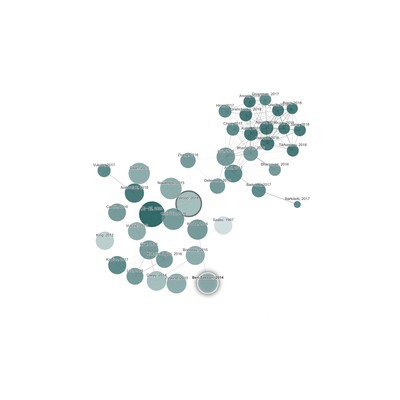
- Press the “Create Graph” button. The tool will generate a visual representation of your seed paper and its connections to other papers.
- You can click on any node (paper) to view its details, including citation information and a brief summary.
Step 3: Get better results
- Use the “Filters” option on the left panel to narrow down your results by year, citation count, or relevance.
- Explore the “Similar Papers” section to find additional research related to your field.
- Click on the “Export” button to save your graph as a PDF or image for further reference.