
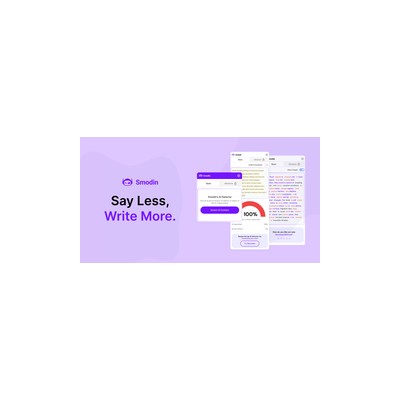
About Smodin
I tested Smodin extensively, and it's marketed as an all-in-one AI writing assistant that covers everything from content generation to plagiarism checking. The platform is packed with features that include a rewriter, citation generator, and even translation services. What really stuck out to me during my testing was how Smodin aims to cater to a broad audience, from students trying to polish essays to professionals needing original content. However, the effectiveness of these features varies, and that's where my experience gets a bit mixed.
One of the standout features is the plagiarism checker, which claims an impressive accuracy rate of 98%. I put it to the test using a few snippets from well-known articles, and while it did catch the obvious matches, I felt it could've been more thorough, especially with creative content. The AI rewriter is another crucial feature; it’s designed to help users paraphrase their text effectively. In my experience, it does a decent job but sometimes results in awkward phrasing that could raise eyebrows if you’re aiming for a polished piece. For anyone in academia, this could be a red flag when trying to maintain a professional tone.
When it comes to pricing, Smodin offers a freemium model, which is great for casual users but can feel limiting for anyone needing extensive use. The free version allows a certain number of generations per day, which might work for students or those dabbling in content creation, but frequent users will likely find themselves hitting a wall. For serious writers or professionals, the paid options might be necessary, but I found myself wishing there were clearer details on what each tier offers. The lack of transparency can be frustrating when trying to determine if it’s worth the investment.
Smodin is best suited for casual writers and students who need a reliable tool for generating ideas or ensuring their work is original. However, professional writers might want to look elsewhere if they need more nuanced features or a polished output. While the tool is user-friendly, making it accessible for beginners, the limitations could deter those who are more experienced. It’s a mixed bag that feels like it’s still figuring out its identity in a competitive landscape of writing tools.
Our Review
Verified 11 May 2026Reviewed by Delv Editorial, Delv Team
I had my hands full testing Smodin, and to be honest, it was a bit of a rollercoaster. This all-in-one AI writing assistant promises a lot, from content generation to rewriting and plagiarism checks. The user interface is straightforward, which is a relief when dealing with tech that can sometimes feel overwhelming. As someone who regularly juggles multiple writing tasks, I was eager to see if Smodin could keep up.
The plagiarism checker, which boasts a 98% accuracy rate, is a great feature for students and professionals alike. I ran a few paragraphs through it, including some well-known sources, and while it caught the obvious matches, it didn't quite pick up on more nuanced similarities, especially in creative writing. It’s good, but I wouldn’t rely solely on it for high-stakes work. The rewriter is another feature I had high hopes for, but I found it a mixed bag. Sometimes it produced sentences that were a bit clunky and awkward, which isn’t what you want when you’re aiming for polished prose.
When it comes to pricing, Smodin operates on a freemium model. This is great for casual users who want to dip their toes in, but I found the limits on the free tier a bit restrictive. If you’re someone who needs to generate content regularly, you might find yourself hitting a wall pretty quickly. Unfortunately, there’s also a lack of clarity around the paid tiers—what’s included and whether it’s worth the jump isn’t as transparent as I’d like.
In comparison to competitors like Grammarly or QuillBot, Smodin falls a bit short in terms of features for serious writers. While those tools focus more on refining and enhancing the overall quality of writing, Smodin seems to cater more to casual users. So, who is Smodin perfect for? If you’re a student needing to polish up essays or a freelancer looking for a quick way to generate content, it could work well for you. However, if you’re a professional writer aiming for a high standard, I’d recommend exploring other options that might offer a more polished output.
In the end, Smodin has its merits, but it feels like it’s still in the process of finding its niche. If you’re after a straightforward, easy-to-use tool for basic writing needs, give it a shot. But if you’re serious about your writing, you might want to keep looking.
Getting started with Smodin
In this guide, you'll learn how to quickly set up Smodin and start using its writing assistant features, including rewriting text and checking for plagiarism. By the end, you’ll be able to enhance your writing and ensure originality efficiently.
Step 1: Sign up and set up
Step 2: Your first rewrite
Step 3: Get better results
Pro tip
Use the Citation Generator feature to automatically create citations for your sources. This saves time and ensures your references are formatted correctly.
Common mistake to avoid
Avoid submitting overly complex or lengthy texts in one go. Smodin performs better with concise entries, so consider breaking your content into smaller sections for rewriting or checking.
The Verdict
Smodin is a decent tool for casual users, particularly students and freelancers who need a quick writing assistant or plagiarism checker. However, professional writers might find its features lacking and should consider more advanced alternatives. If you’re after a straightforward solution, Smodin could serve you well, but don’t expect it to meet the high standards for polished content.
Best For
- Students looking to enhance their essays and ensure originality.
- Freelancers needing a quick way to generate content.
- Bloggers who want to rewrite existing content efficiently.
- Researchers needing to generate citations and check for plagiarism.
- Casual writers who don’t require extensive features.
At a Glance
Smodin is an all-in-one AI writing assistant that offers a range of features including text generation, rewriting, and plagiarism checking. While its user-friendly interface is a plus, the effectiveness of its rewriter and plagiarism checker can sometimes leave much to be desired, especially for professional writers.
Strengths
- +The plagiarism checker boasts a 98% accuracy rate, making it a reliable tool for students and professionals who need to ensure their work is original.
- +The user-friendly interface makes navigation a breeze, allowing even those with minimal technical skills to access its features without a steep learning curve.
- +Smodin includes a citation generator, which saves time for researchers and students who often need to format references correctly.
- +The inclusion of translation services is a nice touch for users who might be working with multilingual content or need to reach a broader audience.
- +The freemium model allows users to test out the tool before committing, making it suitable for casual users who don’t need extensive features.
Limitations
- -The rewriter feature occasionally produces awkward phrasing, which can compromise the quality of the output and might not meet the standards of professional writing.
- -The limitations of the free version can be frustrating for frequent users, as hitting a daily cap can interrupt workflow and creativity.
- -The lack of clear pricing tiers and what they include can leave users uncertain about whether upgrading is worth it.
- -The plagiarism checker, while accurate, may not be as thorough with creative content, which is a concern for writers in fields requiring nuanced originality.
- -Some features feel underdeveloped and could benefit from further refinement to meet the demands of serious writers.
Use Cases
- -Students who need to enhance their essays and ensure originality before submission.
- -Freelancers who are looking for a quick way to generate content and check for plagiarism without investing in multiple tools.
- -Bloggers who require assistance in rewriting content to fit their unique voice while maintaining the original message.
- -Researchers needing to generate citations quickly while ensuring their work is free from plagiarism.
- -Content creators who want to translate their work into multiple languages to reach a wider audience.







