
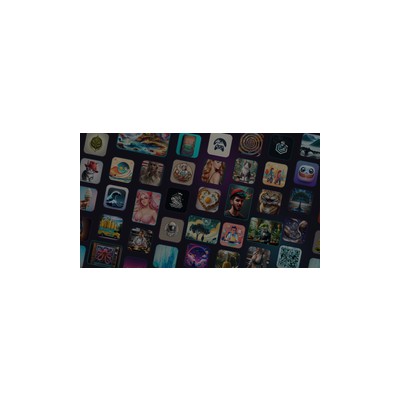
About Stockimg.ai
I recently had the chance to dive into Stockimg.ai, an AI-powered tool for generating stock images and design content from text prompts. As someone who often finds themselves in need of quick visuals for articles or social media posts, I was eager to see how this platform could fit into my workflow. Stockimg.ai promises to help creative professionals generate everything from logos to social media graphics, all while ensuring that the content comes with commercial licenses. This is a massive boon for freelancers and small businesses who can't afford the hefty fees associated with traditional stock photo sites.
The core feature of Stockimg.ai is its ability to generate images based on descriptive text. You simply type in what you want, and voilà! In mere moments, you have a selection of unique visuals to choose from. This is incredibly useful if you’re trying to create something specific but don’t have the time or resources to hire a designer. The platform also allows for some degree of customization, letting you tweak the style of the images generated, which is a nice touch. However, I did find the variety of styles somewhat limited; while it's great for general stock images, more niche or complex artistic styles might not always be accurately captured.
Pricing-wise, Stockimg.ai operates on a freemium model. You can start generating images without spending a penny, which is fantastic for casual users or those just testing the waters. However, the free tier does come with limitations in terms of image resolution and the number of images you can generate per day. If you want higher-quality images or more extensive use, you'll need to fork out for one of the paid plans. This may not be ideal for users who require a high volume of images regularly, as the costs can add up quickly.
Overall, Stockimg.ai is a useful tool for those who need quick and easy visuals, but it may not cater to every need out there. It’s perfect for social media managers or content creators who need a steady stream of graphics, but anyone looking for high-end, intricate designs might want to explore other options. If you're after something that lets you whip up a decent image in a pinch without a steep learning curve, this platform could be your new best friend.
Our Review
Verified 11 May 2026Reviewed by Delv Editorial, Delv Team
When I first came across Stockimg.ai, I thought, 'Finally, a tool that could save me hours of searching for the right stock image!' And to some extent, that’s exactly what it does. You type in what you need—say, 'a sunset over a mountain range'—and within seconds, the AI generates a selection of images that range from decent to impressively good. This is not just a gimmick; it’s a practical resource for anyone who regularly needs visuals but lacks the time or budget for custom design work.
One standout feature for me was the commercial licence that comes with the generated images. This means I can confidently use them in my blog posts without worrying about copyright issues. For freelancers and small business owners, this is a huge relief. I also appreciated the ability to tweak the styles somewhat, allowing for some creative experimentation, although I did find that the variety of styles could be a bit limiting at times. It’s great for general stock images, but if you’re trying to create something truly unique, you might be left feeling a bit uninspired.
However, it’s not all sunshine and rainbows. The free tier, while a great way to test the waters, does come with its drawbacks. The image resolutions are not quite high enough for professional use, which can be a real dealbreaker if you’re looking to print or create high-quality marketing materials. If you want the good stuff, you’ll need to pay, and that can add up quickly if you’re generating a lot of images. Plus, the mobile experience is lacklustre; I’d prefer to whip something up on my phone while waiting for my coffee instead of being stuck at my desk.
In comparison to its main competitors, like Canva, Stockimg.ai is more focused on quick image generation rather than offering a full suite of design tools. Canva is more versatile and allows for detailed edits and customisation, which might be more appealing to users who want more control over their designs. But if you’re looking for a straightforward way to generate images without the bells and whistles, Stockimg.ai fits the bill nicely.
In summary, Stockimg.ai is best for social media managers and content creators who need quick, decent visuals for their work. It’s not going to replace a professional designer or cater to those needing complex artistic styles, but for generating quick graphics or stock images, it’s a solid tool. Just keep an eye on your usage if you’re on the free plan, and be prepared to fork out some cash if you find yourself relying on it heavily.
Getting started with Stockimg.ai
In this guide, you'll learn how to generate stock images and design content from text prompts using Stockimg.ai. By the end, you’ll be able to create visuals for your articles or social media posts with ease.
Step 1: Sign up and set up
Step 2: Your first image
Step 3: Get better results
Pro tip
Try to combine multiple elements in your prompt for more complex images (e.g., "a cat sitting on a laptop in a cozy room"). This can produce more interesting and unique results.
Common mistake to avoid
Avoid vague prompts like "nice image" or "something cool". The AI needs clear direction to generate what you envision, so always be specific about your requirements.
The Verdict
Stockimg.ai is a handy tool for anyone needing quick and decent images, especially social media managers and content creators. However, those looking for intricate designs or high-quality outputs may want to explore other options. If you’re on a budget and need to whip up visuals in a hurry, give it a go, but don’t be surprised if you hit a few limitations along the way.
Best For
- Social media managers needing quick graphics for posts.
- Freelance content creators looking for affordable visuals for articles.
- Small business owners wanting cost-effective marketing materials.
- Event planners crafting custom visuals for promotions.
- Startups establishing their brand presence with quick logos and graphics.
At a Glance
Stockimg.ai is an AI-driven platform that transforms text prompts into high-quality images, making it ideal for content creators and marketers. With a freemium pricing model, users can generate a variety of visuals quickly and efficiently, perfect for social media and marketing campaigns. However, the limitations of the free tier and a somewhat restricted range of artistic styles may leave some users wanting more.
Strengths
- +The freemium model is genuinely useful - it allows users to generate images without any initial investment, making it accessible for casual users.
- +The AI generates images quickly, which is a lifesaver when you're in a time crunch and need visuals for a last-minute post.
- +Users can easily input descriptive text to produce unique visuals tailored to their specific needs, enhancing creativity and experimentation.
- +Commercial licenses for generated content are included, allowing users to use images without worrying about legal repercussions.
- +The intuitive interface makes it easy for both seasoned designers and novices to navigate and create, reducing the learning curve significantly.
Limitations
- -The limitations of the free tier can be frustrating - users may find the image resolution insufficient for professional use, pushing them towards paid plans.
- -While the AI is good at generating general stock images, it struggles with more complex artistic styles, which can be a letdown for those looking for something unique.
- -The selection of styles can feel somewhat repetitive over time, which might limit creativity for users who want to experiment with diverse designs.
- -The platform lacks advanced editing features that some users might expect from a comprehensive design tool, which could necessitate additional software for refinement.
- -There's no mobile app available, so users are tethered to their desktops, which can be restrictive for on-the-go creators.
Use Cases
- -Social media managers who need to create eye-catching graphics on a daily basis for various platforms without breaking the bank.
- -Freelance content creators who require quick visuals for blog posts or articles and need an efficient tool to generate images.
- -Small business owners looking for affordable marketing materials like posters or flyers without hiring graphic designers.
- -Event planners wanting to craft custom visuals for invitations or promotional content without investing too much time or money.
- -Startups needing to produce branding materials such as logos or social media graphics quickly as they establish their online presence.







