
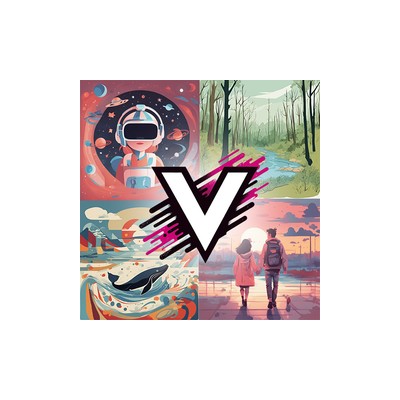
About VectorArt.ai
VectorArt.ai is a tool that aims to be your go-to resource for vector images, combining a vast library with the ability to generate custom SVG graphics. At its core, it caters explicitly to graphic designers and creative professionals who need high-quality, scalable graphics. The main selling point is the unlimited downloads of their extensive collection of AI-generated vector images, which can be a real boon for designers who don't want to get bogged down with licensing issues or capped usage. You can practically download to your heart's content, which is a refreshing change in a landscape where many graphic resources come with a hefty price tag or restrictive licenses.
The platform features an intuitive interface, making it accessible for both seasoned pros and those just starting out in graphic design. The image generation tool is where things get interesting; it allows users to create custom vector images tailored to their specific needs. This feature can seriously enhance your creative workflow, particularly if you find yourself stuck in a design rut or simply need something unique that you can’t find anywhere else. However, I did find the image generation capabilities a bit hit or miss; while some results were impressive, others looked like they had been cooked up in a hurry.
Pricing-wise, VectorArt.ai operates on a freemium model. This means you can dip your toes in without spending a penny, but the limitations can become apparent quickly. The free tier offers a taste but doesn’t provide full access to the library or all the generation features. If you’re serious about using this tool, eventually, you’ll be looking to upgrade, and while the pricing details aren’t overtly clear on their website, I suspect they will likely charge a subscription fee for premium features. So, if you're planning on using VectorArt.ai regularly, brace yourself for that.
In terms of who should be using this, I think it’s perfect for freelance designers or small teams who need a quick solution for vector graphics without the fuss of licensing headaches. However, if you’re a more serious graphic designer who relies on premium quality or unique designs, you might find yourself wanting more than what VectorArt.ai can offer—especially if you’ve got picky clients. Overall, it’s a solid tool with potential, but it should come with the caveat that it may not satisfy every creative’s needs, particularly those who demand top-notch quality in every pixel.
Our Review
Verified 11 May 2026Reviewed by Delv Editorial, Delv Team
So, I recently had a go at VectorArt.ai, and I've got to say, it’s a mixed bag. On one hand, the idea of having unlimited SVG downloads is incredibly appealing. As someone who often finds myself knee-deep in design projects, the last thing I want to worry about is running out of resources or dealing with convoluted licensing agreements. The library is quite extensive, with all sorts of AI-generated vectors available, which is a huge plus. I found myself downloading a handful of interesting graphics for a recent client project, and they did the job well enough.
Now, let’s talk about the custom image generation feature. It’s pretty nifty in theory—you can create tailored vector images that suit your specific needs. However, my experience was a bit hit or miss. For instance, I tried generating a logo for a tech startup, and while one design was sleek and modern, another looked like it came straight out of a primary school art class. This inconsistency could be a dealbreaker for professionals who need to deliver polished work.
The interface is user-friendly, which is great for those who might not be as savvy with design tools. I appreciated how intuitive it felt; I could quickly navigate through the library and find what I needed without feeling lost. However, I did notice a lack of advanced features that seasoned designers might expect. If you’re used to the likes of Adobe Illustrator, you might find VectorArt.ai a bit limiting.
Comparing it to competitors like Adobe Illustrator or even Canva, I’d say VectorArt.ai is more suited for casual users or small teams that need quick solutions rather than in-depth design capabilities. It’s perfect for freelancers or small marketing teams who need access to a decent range of graphics without breaking the bank. However, if you’re a professional designer with high standards, the freemium model could be frustrating in the long run, especially when you’ll eventually need to pay for premium features.
In terms of pricing, the freemium model is a double-edged sword. It’s fantastic that you can try it at no cost, but I found the lack of clear pricing information for the premium tiers a bit annoying. If you want to make this tool a staple in your workflow, you’ll likely have to budget for it, and that’s something I wish was more transparent.
Overall, I’d recommend VectorArt.ai to those who are just starting in graphic design or those who need quick and easy access to vector images without the stress of licensing. It’s not without its flaws, but it definitely has its merits.
Getting started with VectorArt.ai
In this guide, you’ll learn how to access and use VectorArt.ai to find and generate high-quality vector images for your design projects. You'll be able to download unlimited SVG graphics and create custom designs quickly.
Step 1: Sign up and set up
Step 2: Your first vector image
Step 3: Get better results
Pro tip
Most beginners overlook the "Favourites" feature. When you find images you like, click the heart icon to save them for easy access later. This can save you time when you need to revisit designs.
Common mistake to avoid
Avoid using overly broad search terms. This can lead to overwhelming results that aren't relevant. Instead, be specific in your queries to find more suitable images quickly.
The Verdict
In summary, VectorArt.ai is a decent tool for casual graphic designers or freelancers who need quick access to vector images without the hassle of licensing. However, professionals looking for high-quality, consistent results may find it lacking. If you're just starting out or need a budget-friendly resource for vector art, it’s worth a shot; otherwise, you might want to explore more comprehensive options.
Best For
- Freelance graphic designers who need quick access to a variety of vector images.
- Small marketing teams looking for affordable graphic resources.
- Bloggers and content creators in need of visuals for their posts.
- Startups requiring budget-friendly branding materials.
- Newcomers to graphic design who want a user-friendly platform.
At a Glance
VectorArt.ai is a flexible platform for graphic designers, offering unlimited downloads of AI-generated SVG images alongside a custom image generation tool. While it’s accessible for newcomers, seasoned professionals may find the quality inconsistent and the freemium model limiting for serious projects.
Strengths
- +Unlimited downloads of SVG images mean you can access a vast library without worrying about usage caps, which is perfect for designers who need a variety of graphics for different projects.
- +The custom image generation tool allows for tailored designs, enabling you to create unique vectors that fit your specific needs instead of relying solely on pre-existing images.
- +The user-friendly interface makes it easy for even beginners to navigate the platform, making it accessible for anyone looking to create or download vector art.
- +The extensive collection of AI-generated vectors provides a range of styles and options, which can help spark creativity when you're in need of inspiration.
- +The freemium model lets users try out the platform without financial commitment, allowing for an initial exploration of its features and capabilities.
Limitations
- -The image generation feature can be inconsistent, leading to some lacklustre results that may not meet the quality expectations of seasoned designers.
- -The freemium model can be limiting; while it offers a taste of the platform's capabilities, serious users will likely find themselves needing to pay for premium features to access the full library.
- -Some of the vectors available may feel generic or overused, which could be a drawback for designers looking for truly unique assets.
- -The website lacks detailed pricing information, making it frustrating for users who want to understand the financial commitment before fully diving in.
- -While the platform is user-friendly, it may not offer enough advanced features for professional designers who rely on precision and high-quality outputs.
Use Cases
- -Freelance graphic designers who need a quick source for vector images to meet client demands without getting bogged down in licensing issues.
- -Small marketing teams looking to create visually engaging presentations or social media graphics without hiring a full design team.
- -Startups in need of affordable branding materials like logos or promotional graphics that can be generated quickly and easily.
- -Bloggers or content creators who require eye-catching visuals to complement their articles but might not have the budget for custom designs.
- -Educators creating teaching materials that require illustrative graphics without having to pay for expensive stock images.







