
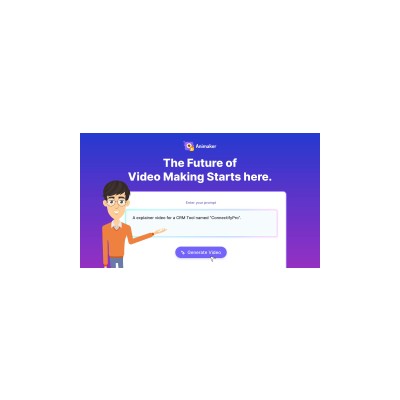
About Animaker
Animaker is a cloud-based animation platform that aims to make video creation accessible for everyone, from teachers to marketers. With a drag-and-drop interface, it allows users to create animated videos without needing to be a tech whizz. I’ve tested this tool extensively, and it’s impressive how much you can do without diving into complex software. The AI-driven script-to-video generation is a standout feature, allowing users to input scripts and have them transformed into animations with relative ease. This means you can take a blog post and, with minimal effort, present it as an engaging video, which is a huge time-saver for content creators.
The platform also boasts over 800 AI voices in more than 170 languages, which is a godsend for educators and marketers looking to reach diverse audiences. The auto lip-sync feature does a commendable job of syncing the voiceovers with the animated characters, making the whole video feel more dynamic. Plus, with a subtitle generator that supports over 100 languages, it’s equipped for global outreach, which is becoming increasingly important in today’s interconnected world.
However, while Animaker has a lot going for it, it isn’t without its flaws. The free tier is somewhat limited, which may hinder those who want to explore its full potential without committing financially. Additionally, while the drag-and-drop interface is user-friendly, I found that the learning curve can be steep for those completely new to animation. Some features, like advanced customisation options, are buried under menus, which can be a bit frustrating.
In terms of pricing, Animaker operates on a freemium model, which means you can start creating videos for free, but to unlock premium features, you’ll need to upgrade to one of their paid plans. This can get pricey, especially if you’re a small business on a tight budget. Overall, Animaker is a solid choice for anyone looking to create animated content, but it’s essential to weigh the features against the pricing structure and your specific needs before diving in.
Our Review
Verified 11 May 2026Reviewed by Delv Editorial, Delv Team
I’ve spent a good chunk of time testing Animaker, and I must say, it’s a mixed bag. On one hand, the ease of creating animated content is undeniably appealing. You simply drag and drop, and voilà! You can whip up a professional-looking animation in no time, which is a massive win for those of us who aren’t design-savvy. The AI-driven script-to-video feature is a personal favourite of mine. I took an old blog post about digital marketing strategies and turned it into an engaging video in less than an hour. The result? A much more dynamic presentation that I could share across my social channels, all without breaking a sweat.
Another aspect that really impressed me is the extensive library of voices. With over 800 AI voices available in more than 170 languages, you can create videos that appeal to a global audience. I tested a few with different accents and languages, and while some were a bit robotic, there were gems that sounded surprisingly natural. The auto lip-sync feature was also a pleasant surprise, making the animations feel alive and engaging.
However, not everything is sunshine and rainbows. The limitations of the free tier are a bit of a buzzkill. If you want to truly explore what Animaker can do, you’ll likely have to fork out some cash, and for freelancers or small businesses, that can be a tough pill to swallow. Additionally, while the user interface is friendly, I found myself scratching my head at times trying to locate some advanced features buried deep in the menus. If you’re a complete newbie, you may find yourself feeling a tad overwhelmed.
In terms of pricing, Animaker's freemium model is decent, but the premium plans can get pricey. For those just starting out or with limited budgets, you might feel a bit squeezed. Compared to alternatives like Vyond or Powtoon, Animaker offers a more comprehensive package in terms of animation capabilities but falls short in customisation options available in those other tools.
So, who is this tool perfect for? If you’re a marketer looking to create eye-catching ads or an educator wanting to jazz up your lesson plans, Animaker is worth considering. Just be prepared to pay for the features you want. On the flip side, if you're after extensive customisation options or are on a tight budget, you might want to explore other platforms. Overall, Animaker delivers on its promises but comes with a few hiccups that could frustrate some users.
Getting started with Animaker
In this guide, you'll learn how to create animated videos using Animaker's user-friendly platform. By the end, you'll be able to produce your first video quickly and efficiently.
Step 1: Sign up and set up
Step 2: Your first animation
Step 3: Get better results
Pro tip
Use keyboard shortcuts to speed up your workflow. For example, pressing "Ctrl + Z" will undo your last action, saving you time when making adjustments.
Common mistake to avoid
Avoid overcrowding your scenes with too many elements. This can make your animation look cluttered and distract from your message. Focus on a few key elements to ensure clarity and impact.
The Verdict
Animaker is a solid choice for anyone looking to create animated videos without a steep learning curve. It’s perfect for educators and marketers seeking an easy way to produce engaging content. However, the limitations of the free tier and the pricing of premium plans may leave some users feeling a bit constrained, so assess your needs before diving in.
Best For
- Marketers aiming to produce engaging animated advertisements.
- Educators who want to create animated teaching materials.
- Freelancers looking to enhance their portfolio with animated content.
- Content creators wanting to repurpose written content into videos.
- Small businesses needing quick and easy video production solutions.
At a Glance
Animaker is an easy-to-use animation platform that allows anyone to create engaging animated videos without extensive technical skills. With AI-driven features and a vast library of voice options, it’s perfect for marketers and educators looking to boost their content game. However, the limitations of the free tier and some buried features may leave you wanting more.
Strengths
- +The drag-and-drop interface makes it incredibly user-friendly, allowing even those with zero technical skills to create polished animations quickly.
- +AI-driven script-to-video generation means you can transform written content into animated visuals with minimal effort, saving significant time in content creation.
- +With over 800 AI voices available in more than 170 languages, you can easily add diverse voiceovers to your videos, making it ideal for global outreach.
- +The auto lip-sync feature enhances the realism of animations, ensuring that voiceovers match the character movements, which makes the videos feel more engaging.
- +The subtitle generator supports over 100 languages, which is fantastic for educators and marketers wanting to reach international audiences effectively.
- +Animaker's extensive library of pre-made templates can jumpstart your projects, allowing you to focus more on creativity than on starting from scratch.
Limitations
- -The free tier is rather limited, which can be a major drawback for users wanting to explore the platform without a financial commitment.
- -Some advanced customisation options are buried in menus, making them less accessible for those who might want to tweak their animations extensively.
- -The rendering speed can be sluggish at times, which can be frustrating when you’re eager to see your creations come to life.
- -While the interface is user-friendly, there’s still a learning curve for complete beginners, especially when navigating its more complex features.
- -Pricing for premium plans can get steep, particularly for freelancers or small businesses who might not have the budget for ongoing expenses.
Use Cases
- -Marketers looking to create engaging video ads that highlight product features in a visually appealing way.
- -Teachers wanting to produce animated lesson content to make learning more engaging and accessible for students.
- -Social media managers needing quick turnaround for animated posts that capture attention and drive engagement.
- -Content creators who want to repurpose existing blog posts into animated videos to reach a wider audience.
- -Businesses wanting to explain complex concepts through simple animations for training or onboarding purposes.







