
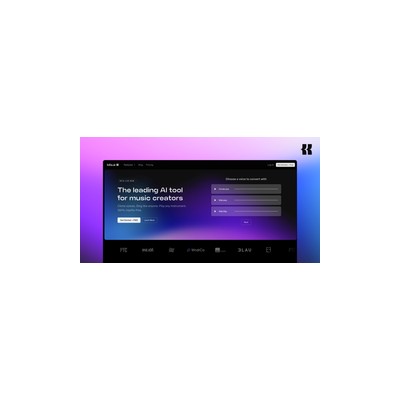
About Kits AI
Kits AI is a platform that aims to provide music producers with studio-quality voice cloning and instrument tools that are both innovative and practical. What truly sets Kits AI apart is its focus on ethical voice licensing – every voice used in the process is licensed directly from artists, which is a huge relief for anyone concerned about the legalities of music production. I found this particularly refreshing as a journalist who has seen the dark side of unlicensed content creation. It not only allows for creative freedom but also ensures that the artists are compensated fairly, which is a win-win for everyone involved.
The tool boasts features like vocal style transfer and custom AI voice models that can be trained to suit specific needs. This means you can manipulate and experiment with different vocal styles, making the creation of unique audio tracks easier than ever. During my testing, I found that the vocal style transfer feature was quite intuitive, allowing me to blend styles seamlessly. However, the learning curve can be a bit steep for those who are new to audio production, which may pose a challenge for beginners.
Pricing-wise, Kits AI operates on a freemium model, but specifics about the tiers and the limitations of the free version are a bit sparse. While it’s fantastic to have free access to the tools, the lack of clarity on what’s included can be frustrating. In my experience, this makes it hard to determine if it’s worth investing in a paid plan without knowing what additional features you might get. This ambiguity could deter potential users who want to ensure they're getting their money's worth.
Kits AI is best suited for music producers and sound designers who are looking to expand their creative horizons and experiment with new vocal techniques. However, if you're a casual user or someone who just wants to dabble in music production, you might find the platform a bit overwhelming and not as user-friendly as you'd hope. Overall, while it has some fantastic features, it's not necessarily for everyone. If you’re serious about music production, though, Kits AI offers powerful tools that can elevate your sound to new heights.
Our Review
Verified 11 May 2026Reviewed by Delv Editorial, Delv Team
Kits AI caught my attention as soon as I heard about its promising features for music producers. As someone who has dabbled in music production over the years, I was excited to see how AI could potentially enhance my creative process. I dove into its offerings, and right off the bat, I was impressed by the ethical licensing approach. Knowing that every voice is directly licensed from artists gave me peace of mind as I explored voice cloning and vocal style transfer. This feature alone sets Kits AI apart from many other tools in the market, which often leave you in murky waters regarding legality.
The vocal style transfer was a highlight for me. It allowed me to merge different vocal styles with relative ease, and I found myself lost in the creative possibilities it presented. However, I must admit that the learning curve is pretty steep. If you’re new to audio production, you might feel a bit overwhelmed trying to figure things out. I spent quite a bit of time fiddling with settings and navigating the interface, which, while functional, could certainly use a facelift. It’s not the most intuitive system, and I often found myself wishing for clearer guidance.
Now, let’s talk about the pricing. Kits AI uses a freemium model, which I usually appreciate, but I found the lack of clarity around what’s included in the free tier a bit frustrating. It’s hard to evaluate whether the paid features are worth the investment without knowing exactly what you’re getting. This ambiguity could deter casual users who might not want to commit to a subscription without testing the waters first.
In terms of competition, I found Kits AI has its strengths, but it doesn’t necessarily outshine others like Descript, which offers a more comprehensive set of audio editing tools. Kits AI is definitely aimed at those who are serious about music production and want to experiment with AI-driven vocal techniques. It’s not for everyone, especially if you’re just looking to dabble in music creation. However, for serious producers, the potential to create unique tracks and explore new vocal styles is exciting. Overall, while Kits AI has some fantastic features, it’s not without its drawbacks. If you’re ready to invest the time into mastering the platform, it could really elevate your music production game, but if you’re just starting out, you might want to explore other options first.
Getting started with Kits AI
In this guide, you'll learn how to set up Kits AI for music production, create your first voice clone, and optimise your results. You'll be making high-quality audio in no time.
Step 1: Sign up and set up
Step 2: Your first voice clone
Step 3: Get better results
Pro tip
When cloning voices, try to use a clear and noise-free recording of your own voice. This will greatly improve the quality of the cloned voice and reduce the need for further adjustments.
Common mistake to avoid
Avoid uploading audio clips with background noise or poor quality. This can lead to subpar voice clones that don’t meet your production standards. Always ensure your recordings are clear and well-paced.
The Verdict
Kits AI is a solid choice for serious music producers who want to delve into the world of AI voice cloning and unique vocal styles. However, if you’re a casual user or just starting out, the steep learning curve and unclear pricing could make it a frustrating experience. Overall, if you're committed to pushing your music production boundaries, Kits AI is worth a look.
Best For
- Professional music producers seeking unique vocal elements.
- Sound designers looking to experiment with vocal styles.
- Independent artists wanting creative control over their work.
- Content creators needing diverse audio tracks for multimedia projects.
- Audio engineers collaborating on diverse vocal inputs.
At a Glance
Kits AI is a powerful platform for music producers, offering advanced voice cloning and vocal style transfer tools that ensure ethical licensing of voices. With its freemium model, it provides a unique opportunity to experiment with studio-quality audio production, though clarity on pricing could be improved.
Strengths
- +The ethical licensing of voices used on the platform is a huge plus, ensuring that artists are compensated fairly and users can create without legal worries.
- +Vocal style transfer is surprisingly intuitive, allowing users to blend different vocal styles seamlessly, which can lead to creative breakthroughs in music production.
- +Custom AI voice models can be trained to fit specific needs, giving producers unparalleled control over their vocal tracks and the ability to create unique sounds.
- +The platform opens up new collaboration possibilities, enabling producers to work with diverse vocal styles and compositions that they may not have explored otherwise.
- +Kits AI's freemium model offers initial access to powerful tools, allowing users to test the waters before committing to a paid tier.
Limitations
- -The learning curve can be steep for those new to audio production, potentially alienating beginners who might find it hard to navigate the platform.
- -Details about the freemium model's limitations are vague, which may make it difficult for users to determine if the paid options are worth it.
- -Some features may feel underdeveloped, especially for users seeking advanced capabilities that aren't fully realised yet.
- -The interface, while functional, could benefit from a more modern design to enhance usability and attract a wider audience.
- -Audio quality can vary based on the voice models used, which might frustrate users looking for consistent results.
Use Cases
- -Professional music producers looking to incorporate unique vocal elements without hiring session singers.
- -Sound designers experimenting with blending different vocal styles to create fresh soundscapes for media projects.
- -Independent artists who want to maintain creative control over their music while using AI to generate new vocal ideas.
- -Content creators needing royalty-free audio tracks with diverse vocal styles for their videos or podcasts.
- -Audio engineers working on collaborative projects that require a variety of vocal inputs and styles.







