
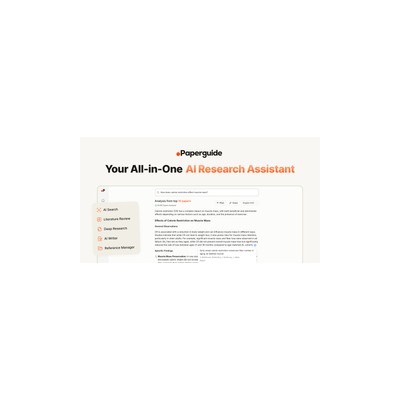
About Paperguide
Paperguide is like having a research assistant that never sleeps. It’s an AI tool that condenses the often laborious process of literature review into a matter of hours. I tested it out with a stack of academic papers that would have taken me weeks to sift through, and I have to say, the results were impressive. The tool’s capability to summarise complex papers into digestible chunks means you can focus on critical insights without getting bogged down in jargon. It also features a chat-with-PDF function, allowing you to query documents directly. This is a fantastic perk for researchers who need specific information quickly, rather than reading through pages of dense text.
One of the standout features is the variety of input formats it accepts. Whether you’re dealing with PDFs, DOIs, or even web links, Paperguide can handle it all. This versatility makes it suitable for a wide range of research needs. The built-in reference manager is another boon—keeping track of citations can feel like a chore, but this tool makes it less painful. However, the free version does have its limitations, and you might find yourself hitting a wall if you’re a heavy user.
Pricing-wise, Paperguide adopts a freemium model, which means you can dip your toes in without committing to a paid plan. But, be warned: while the free tier is decent, the premium features are where the magic truly happens. If you’re looking for advanced summarisation tools and extensive document interactions, you’ll need to consider upgrading. Overall, Paperguide is ideal for academics, students, and professionals who need a reliable assistant to help manage their literature review workload, but it might not be the best fit for casual users or those who only occasionally engage with academic texts. If you’re not deep into research, the learning curve and functionality might feel a bit overwhelming.
In my experience, the tool shines in its ability to make extensive literature manageable. However, it does have its quirks. For instance, the chat-with-PDF feature could be more intuitive; I found myself occasionally struggling to phrase my queries to get the best responses. And while the summarisation is generally solid, it sometimes misses context, which could leave you with a summary that’s a bit too brief. Still, if you’re drowning in research papers, Paperguide might just be your lifeline, as long as you’re prepared to navigate its quirks.
Our Review
Verified 11 May 2026Reviewed by Delv Editorial, Delv Team
When I first heard about Paperguide, I was a bit sceptical—could an AI really take the grunt work out of literature reviews? Well, after diving into it with a mountain of academic papers, I can confidently say it’s not just hype. This tool is designed to cut down on the hours spent reading dense research, and it does so with a surprising level of effectiveness. The summarisation feature is a real standout; it condenses lengthy articles into bite-sized chunks that highlight the main findings without drowning you in unnecessary detail. I found myself breezing through what would typically be a week’s worth of reading in just a few hours.
One of the aspects I enjoyed the most was the chat-with-PDF feature. Instead of scrolling through endless pages trying to find that one critical quote, I could simply ask the tool, and it would direct me to the right section of the document. It felt like having a personal assistant, which is a luxury I didn’t know I needed until I had it. However, I did hit a few snags; sometimes the AI didn’t quite grasp my questions, leaving me frustrated when I needed quick answers. The learning curve can also be a bit steep for those who aren’t well-versed in using tech tools for research, but once you get the hang of it, it’s a breeze.
Pricing is another consideration. The freemium model is appealing, allowing you to test the waters without spending a penny, but I quickly realised that if I wanted to access all the juicy features, I’d need to fork out for the premium version. For heavy users, this is worth it, but if you’re just dipping your toes into academic research, it might seem a bit excessive.
In comparison to competitors like Mendeley and Zotero, Paperguide shines in its summarisation capabilities and the chat-with-PDF feature. While Mendeley offers great reference management and Zotero is excellent for collaborative work, neither has the same level of efficiency in condensing literature. However, if you’re seeking a more comprehensive reference management tool, they might be better suited to your needs.
Overall, Paperguide is a fantastic tool for academics and researchers who need to get a grip on large volumes of literature quickly. It’s especially useful for PhD students and professionals preparing for conferences. Just be prepared for a few quirks and consider whether the premium pricing is justifiable for your needs. For anyone who’s serious about research and wants to save time, I’d definitely recommend giving it a try. But if you’re just casually browsing academic papers, this might be overkill.
Getting started with Paperguide
In this guide, you will learn how to set up Paperguide and start using it to condense your literature review process. By the end, you'll be able to summarise academic papers quickly and efficiently.
Step 1: Sign up and set up
Step 2: Your first literature review
Step 3: Get better results
Pro tip
Use the "Chat with PDF" feature to clarify specific sections or concepts within the paper. This saves time compared to rereading entire papers for understanding.
Common mistake to avoid
Avoid uploading scanned documents or images of text, as Paperguide works best with standard PDF files containing selectable text. This will ensure the AI can accurately read and summarise the content.
The Verdict
Paperguide is definitely worth a look if you’re deep into academic research and want to cut down on the time spent on literature reviews. It’s perfect for PhD students, researchers, and academics who need to manage vast amounts of information efficiently. However, if you’re not regularly engaging with academic texts or only need a tool occasionally, you might want to skip it or consider alternatives that are more suited to casual users.
Best For
- PhD students drowning in research papers
- Academics preparing for conference presentations
- Researchers needing to stay current with the latest studies
- Graduate students writing extensive literature reviews
- Professionals in research-intensive roles
- Writers needing accurate academic references quickly
At a Glance
Paperguide transforms the tedious literature review process into an efficient experience, condensing extensive research into concise summaries in just hours. With features like chat-with-PDF and a handy reference manager, it’s a powerful ally for academics diving into dense material.
Strengths
- +The summarisation feature is genuinely impressive, condensing complex papers into clear and concise insights that save hours of reading time.
- +The chat-with-PDF function allows you to interactively ask questions about your documents, making it easier to find specific information without getting lost in the text.
- +Support for multiple input formats, including PDFs and DOIs, makes it versatile for various research needs, so you’re not limited to one type of document.
- +The built-in reference manager simplifies citation tracking, which can be a massive time-saver for anyone managing multiple sources.
- +The freemium pricing model lets you try out the tool without initial investment, making it accessible for students and researchers on a budget.
- +It’s particularly beneficial for intense research periods, such as thesis writing or when preparing for conferences, where time is of the essence.
- +The user interface is clean and intuitive, making it relatively easy to navigate, even for those who aren't tech-savvy.
Limitations
- -The free tier has notable limitations, which could frustrate users who rely on extensive features for serious research work.
- -The chat-with-PDF feature, while innovative, can be finicky—sometimes it feels like it requires very specific phrasing to get the best results.
- -Occasionally, the summarisation lacks context, which can lead to oversimplified insights that might miss critical nuances.
- -Some users might find the initial learning curve a bit steep, especially if they are not familiar with academic research tools.
- -The premium pricing might be a barrier for casual users who don’t require all the advanced features, limiting its appeal.
- -There can be occasional hiccups in document processing speed, particularly with larger files, which can slow down your workflow.
Use Cases
- -PhD students who need to review dozens of papers for their dissertations without losing their sanity.
- -Researchers preparing for a conference who need to quickly summarise relevant literature to support their presentations.
- -Academics looking to publish papers and needing a fast way to compile existing research to identify gaps in the literature.
- -Graduate students writing literature reviews who require efficient ways to manage and summarise multiple sources.
- -Professionals in research roles who regularly need to stay updated with the latest findings in their field without spending weeks reading.
- -Journalists or writers needing to quickly digest academic papers for articles, ensuring accuracy without extensive reading.
- -Anyone working on a systematic review who needs to sift through large volumes of literature efficiently.







