
About Zed
Zed is a high-performance code editor that aims to redefine how we write and collaborate on code. Built from scratch using Rust, it promises speed and efficiency, which is something any developer can appreciate. The standout features include its native AI assistant integration, which offers real-time suggestions and code completions, and multiplayer editing, allowing multiple users to collaborate on code simultaneously. This is particularly valuable in today's landscape of distributed teams, where real-time collaboration can significantly enhance productivity.
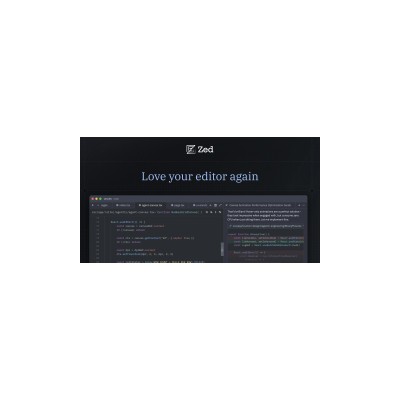
The interface of Zed is sleek and modern, making it approachable for both seasoned developers and those new to coding. The layout is intuitive, with a focus on usability and minimal distractions. I found the AI assistant to be surprisingly effective, providing context-aware suggestions that genuinely help streamline the coding process. The fact that it is integrated into the editor, rather than being a separate tool, makes it much easier to use and integrate into your workflow.
One of the most impressive aspects of Zed is its performance. Thanks to its Rust foundation, it feels incredibly responsive, even when handling larger codebases. I tested it with a few sizeable projects, and I was pleased to find that it managed to maintain speed without any noticeable lag. This is crucial for developers who often juggle multiple files and require a tool that can keep up with their pace.
However, it’s worth noting that while Zed has many strengths, it’s not without its shortcomings. There are still some bugs and quirks that need to be ironed out, especially as it is relatively new to the market. Additionally, the learning curve can be steep for those used to more traditional editors, but that’s often the case when transitioning to a new platform. Overall, Zed presents a promising option for those looking to enhance their coding experience with a modern, fast, and collaborative tool.
Our Review
Verified 11 May 2026Reviewed by Delv Editorial, Delv Team
As a technology journalist, I often find myself testing out various development tools, and Zed caught my attention primarily due to its claims of high performance and unique collaborative features. The fact that it is built from scratch in Rust intrigued me, as I’ve heard a lot about Rust’s efficiency and speed. Upon diving into Zed, I found the experience to be mostly positive, although not without a few bumps along the road.
First impressions matter, and Zed delivers with a clean, modern interface that feels intuitive. The layout is straightforward, with a minimalistic design that doesn’t overwhelm you with options. I appreciate that it prioritises the coding environment, focusing on what matters most: the code itself. Navigating through files and projects feels fluid, which is a plus for anyone who has spent time wrestling with lagging editors.
The AI assistant is a highlight, providing suggestions that are often spot-on and relevant to the context of the code you are writing. This feature genuinely enhances productivity and can be a game-changer for developers who may struggle with syntax or need help remembering function names. However, I did notice that there were times when the AI would offer suggestions that seemed a bit off, indicating that it may still be learning and improving.
Multiplayer editing is another feature that intrigued me, especially for teams working remotely. I’ve participated in collaborative coding sessions where real-time editing can be a boon to productivity. In Zed, this feature worked well, allowing me and a colleague to work on a project simultaneously without any hiccups. It felt like a natural extension of the coding process, which is something I’ve longed for in a code editor.
That said, Zed is not without its issues. Since it is still relatively new, I encountered a few bugs that interrupted my workflow. There were moments when the editor would freeze or become unresponsive, which was frustrating, especially during moments of inspiration. Additionally, I found that the learning curve could be challenging for those coming from more traditional editors. While I embraced the change, I can imagine that some users might be put off by the need to adapt to a new interface and way of doing things.
Performance-wise, Zed lives up to its promise. I tested it with larger projects, and I was pleased to see it handle them with ease. The speed at which it operates is impressive and certainly a step up from many other editors I’ve used. However, I did notice some performance dips on older hardware, which could be a concern for developers who may not have the latest machines at their disposal.
In terms of features, Zed is still developing its ecosystem. While it has some great tools built-in, I found myself wishing for more plugins and extensions to cater to specific needs. This is something that established editors like Visual Studio Code excel at, so it’s an area where Zed could improve.
Overall, Zed is a promising code editor that combines performance with features that cater to modern development needs. I can see it being particularly beneficial for teams focused on collaboration and those who appreciate the speed that Rust brings to the table. It’s free to use, which makes it accessible for anyone wanting to try it out. Despite its current limitations, I believe Zed has the potential to carve out a niche in the coding world. I look forward to seeing how it evolves in the coming months and years.
Getting started with Zed
In this guide, you'll learn how to set up Zed, the high-performance code editor, and create your first coding project with the help of its AI assistant. By the end, you'll be ready to edit code efficiently and take advantage of Zed's unique features.
Step 1: Sign up and set up
Step 2: Your first project
Step 3: Get better results
Pro tip
Set up your favourite snippets in the settings menu to quickly insert commonly used code structures, saving you time on repetitive tasks.
Common mistake to avoid
Avoid neglecting the AI assistant. Many beginners start coding without utilising it, missing out on valuable suggestions and assistance that can speed up the coding process. Always check for AI recommendations as you work.
The Verdict
Zed is a fast and collaborative code editor that shows great promise, especially for teams. Its built-in AI assistant and multiplayer features stand out, although it still needs refinement and expansion in some areas. Overall, for those willing to embrace something new, Zed is worth a try.
Best For
- Solo developers looking for a fast coding experience.
- Remote teams needing real-time collaborative editing tools.
- Students learning to code in a collaborative environment.
- Open-source contributors who require simultaneous access to projects.
- Developers interested in integrating AI into their coding workflow.
At a Glance
Zed is a high-performance code editor built from the ground up in Rust, featuring an integrated AI assistant and multiplayer editing capabilities. It aims to provide a fast and efficient coding experience for both individual developers and collaborative teams. While it has impressive features, some bugs and a learning curve may pose challenges for new users.
Strengths
- +Blazing fast performance thanks to its Rust foundation, handling large codebases smoothly.
- +Native AI assistance that provides context-aware suggestions, improving coding efficiency.
- +Multiplayer editing allows for real-time collaboration, which is great for teams.
- +Sleek and modern interface that is user-friendly and visually appealing.
- +Free to use, making it accessible for developers of all levels.
- +Regular updates promise ongoing improvements and new features.
- +Strong community support as it continues to grow and evolve.
Limitations
- -Still has some bugs and quirks that need to be resolved as it matures.
- -The learning curve may be steep for users accustomed to traditional editors.
- -Limited extensions or plugins compared to more established code editors.
- -Some features may not be as refined as those in longer-standing competitors.
- -Documentation could be more comprehensive for new users.
- -Potential performance issues on less powerful machines, despite its emphasis on speed.
Use Cases
- -Ideal for solo developers seeking a fast and responsive coding experience.
- -Great for teams working on collaborative projects that require real-time editing.
- -Suitable for educational settings where students can learn coding together.
- -Useful for open-source projects where multiple contributors need to work simultaneously.
- -A good choice for developers looking to incorporate AI assistance into their workflow.
- -Beneficial for those working with large codebases who need a performant editor.







