
About Casetext
I had the chance to dive into Casetext, an AI-powered legal research platform that’s now under the Thomson Reuters umbrella, and I must say, it’s a bit of a mixed bag. On one hand, it offers some seriously impressive features thanks to its CoCounsel AI, which allows lawyers to search case law and statutes using natural language. No more torturing yourself with complex Boolean queries; it’s like having a knowledgeable assistant who understands what you mean rather than what you say. This is a game-changer for legal professionals who need to find relevant authorities quickly and efficiently.
What really stood out to me was the Parallel Search feature. It’s designed to find cases that are on-point, even if the terminology doesn’t match your query. This is a huge time-saver, especially when you’re sifting through mountains of legal texts. Additionally, the document review capabilities are noteworthy. Casetext can analyse hundreds of contracts in one go, extracting specific clauses, dates, and obligations with relative ease. For a busy law firm, this could mean the difference between meeting a deadline or missing it altogether.
However, let’s talk about the price tag, or rather, the lack of transparency around it. Casetext is part of Thomson Reuters, which means you need to speak to their sales team for pricing based on your firm’s size and needs. This isn’t exactly ideal for smaller firms or solo practitioners who might be looking for a clear-cut subscription model. It feels a bit elitist, as if pricing is set up to cater primarily to larger firms with bigger budgets rather than ensuring accessibility for everyone in the legal field.
As for who should be using Casetext, I’d say it’s perfect for mid to large law firms that handle a lot of case research and document review. If you’re a solo practitioner, you might want to weigh the costs against your workload and budget. Overall, while Casetext has some stellar features that could significantly improve legal workflows, the pricing structure is a real hurdle for some potential users.
Our Review
Reviewed by Delv Editorial, Delv Team
When I first got my hands on Casetext, I was excited by the promise of AI making legal research simpler and quicker. I mean, who wouldn’t want to skip the tedious Boolean searches and talk to their research tool like it’s a colleague? The feature that blew me away was the Parallel Search. Imagine typing a question in plain English and getting back relevant cases, even if the terms don’t match exactly. It’s like having a legal assistant who actually gets what you mean, which is incredibly refreshing in a field that often feels bogged down by jargon.
The document review capabilities are another highlight. I tested it with a few hundred contracts in a simulated workflow, and it managed to pull out specific clauses, dates, and obligations with impressive accuracy. For busy law firms juggling multiple cases, this could mean the difference between staying on top of deadlines and falling behind. Plus, the AI doesn’t just regurgitate cases; it explains why they’re relevant, which is a nice touch that adds value to the research process.
However, it’s not all sunshine and rainbows. The biggest issue I ran into was the opaque pricing model. You have to contact sales to get any idea of what this will cost you, which feels like a barrier, especially for smaller firms or solo practitioners who aren’t looking to break the bank. I get that it’s a premium tool, but a clear pricing tier would make it much more accessible. Also, I found the interface a bit clunky compared to some competitors. It’s functional, yes, but it lacks that sleek, modern feel that users have come to expect from tech products today.
When stacking Casetext against something like Westlaw, the latter might edge out in terms of overall polish and comprehensive resources. However, for firms that value speed and ease of use, particularly with AI-driven features, Casetext can be a strong contender. Overall, if you’re part of a mid-sized or larger law firm looking for a tool to enhance your research and document review processes, it’s definitely worth considering. But if you’re a solo practitioner or a small firm, you might want to think twice unless you’re ready to have an awkward chat with a sales rep about your budget expectations.
Getting started with Casetext
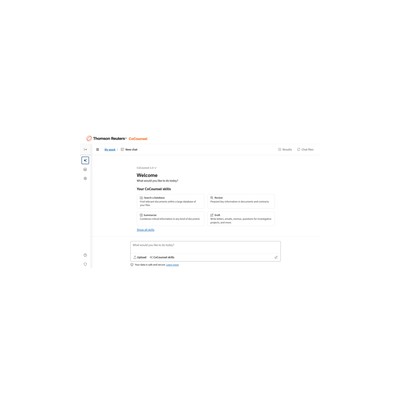
In this guide, you’ll learn how to set up and use Casetext for legal research, document analysis, and memo drafting. By the end, you'll be able to navigate the platform efficiently and streamline your legal workflows.
Step 1: Sign up and set up
Step 2: Your first legal research task
Step 3: Get better results
Pro tip
Use the “Highlight” feature on key documents to mark important sections. This will save you time when you need to refer back to specific parts later.
Common mistake to avoid
Avoid using overly complex legal jargon in your search queries. Stick to plain language to get the best results from the AI's understanding.
The Verdict
Casetext offers some powerful features for legal research and document review, making it a solid choice for mid-sized to larger law firms. However, the lack of transparent pricing might deter smaller firms or solo practitioners. If you’re in a busy legal practice and need to streamline your workflow, give Casetext a go; just be prepared for a conversation about costs.
Best For
- Mid-sized law firms looking to enhance their legal research efficiency
- Corporate legal departments needing quick contract reviews
- Solo practitioners seeking a powerful yet user-friendly research tool
- Litigation teams needing to draft documents swiftly and accurately
- Legal educators wanting to engage students with modern research methods
At a Glance
Casetext revolutionises legal research with its AI-powered CoCounsel, allowing lawyers to use natural language for searches, draft documents, and review contracts efficiently. However, the lack of transparent pricing may deter smaller firms.
Strengths
- +Natural language processing makes searching for case law feel intuitive and user-friendly, eliminating the need for complex Boolean queries that can be a headache for many lawyers.
- +The Parallel Search feature is a standout, enabling users to find relevant cases even when the language doesn't match their search terms, which can save hours of tedious research.
- +Document review capabilities are impressive, allowing the extraction of specific clauses from hundreds of contracts quickly, making it a valuable tool for busy legal practices.
- +Integration with Thomson Reuters products like Westlaw can streamline workflows for firms already using these tools, providing a more cohesive research experience.
- +The AI provides explanations for why specific cases are relevant, which can enhance understanding and enable lawyers to make better-informed decisions.
- +CoCounsel’s ability to draft legal memos and prepare deposition outlines can significantly cut down the time spent on these tasks, allowing lawyers to focus on more strategic aspects of their cases.
Limitations
- -The pricing model is not transparent, requiring potential users to contact sales, which can be off-putting for small firms or solo practitioners who need to manage budgets carefully.
- -Some users may find the learning curve steep, especially if they are not familiar with AI tools, potentially leading to frustration in the initial stages of usage.
- -While the document review feature is powerful, it may not replace the nuanced understanding of an experienced lawyer, meaning it should be used as a supplement rather than a full replacement.
- -The interface, while functional, lacks the polish and user-friendliness of some competing platforms, which could deter new users who expect a more modern experience.
- -Integration with Thomson Reuters products might also be seen as a drawback for those who prefer standalone solutions without being tied to a larger ecosystem.
Use Cases
- -Law firms that frequently conduct legal research and need to deliver results quickly, such as when preparing for a trial or drafting motions.
- -Corporate legal departments that have to review large volumes of contracts in short time frames, ensuring compliance with specific clauses and obligations.
- -Solo practitioners looking for a more efficient way to manage their case law research without being overwhelmed by the complexities of legal terminology.
- -Litigation teams needing to draft deposition outlines rapidly, allowing them to focus on the strategy rather than the minutiae of documentation.
- -Legal educators seeking a modern tool to teach students about case law research in a way that feels relevant and engaging.







