
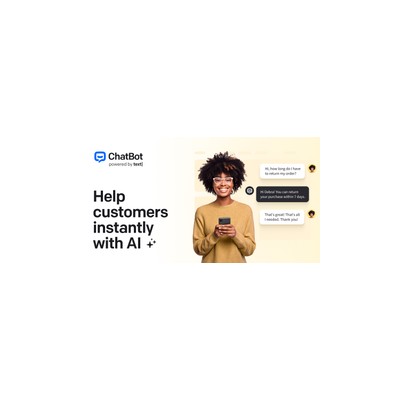
About ChatBot.com
ChatBot.com is a no-code platform designed for those who want to build conversational chatbots without diving into the complexities of programming. I tested the visual builder that allows users to drag and drop elements to create conversation flows, which is surprisingly intuitive. The platform includes pre-built templates for common tasks such as order tracking and appointment booking, making it relatively simple to get a bot up and running quickly. For someone like me who often struggles with tech, this approach is refreshing. However, the templates can feel a bit generic, lacking the personal touch that a custom-built bot might offer.
What really caught my attention was the AI Assist feature, which uses your existing help centre content to train the bot. This means that if a customer asks a question that isn't covered in your pre-defined flows, the bot can pull from your website to generate a response. This is a significant advantage for businesses with extensive FAQs or documentation, but I found the AI's responses to be hit or miss. Sometimes it would provide a helpful answer, while other times, it would veer off-topic or miss the mark entirely. Moreover, the integration with LiveChat is a great touch for when the bot can't handle an inquiry, allowing seamless handovers to human agents.
Now, let's talk about pricing. The Starter plan starts at £52 per month for one active bot and up to 1,000 chats, which is reasonable if you’re just starting out. But as soon as you want to scale up with the Team plan at £142 per month, you’re looking at significantly higher costs, especially if your business relies heavily on chatbots for customer support. I can’t help but feel that the price could be a barrier for smaller businesses or freelancers who don’t have a hefty budget.
In my experience, ChatBot.com is best suited for small to medium-sized businesses that want to improve customer support without a hefty investment in development resources. However, larger organisations may find the limitations in customization and scalability a bit frustrating. Overall, while it has some great features, it might not be the best fit for everyone, especially those looking for a highly tailored solution.
Our Review
Verified 11 May 2026Reviewed by Delv Editorial, Delv Team
When I first stumbled upon ChatBot.com, I was intrigued by the promise of a no-code chatbot builder. The idea of creating a chatbot without needing to know a single line of code sounded almost too good to be true. So, I dove in and started experimenting with the visual builder, and I have to say, I was pleasantly surprised by how straightforward it was. Dragging and dropping elements to create conversation flows felt like playing with digital Lego blocks.
The pre-built templates are a nice touch, especially for someone like me who loves to cut corners. I set up a bot for handling FAQs and was able to deploy it in no time. However, I quickly realised that while the templates provide a solid starting point, they can feel a bit cookie-cutter. If you’re looking to inject your brand’s unique voice into the conversations, you might find yourself running into some limitations.
One feature that I found quite interesting was AI Assist. The idea that the bot can pull from your existing help centre content is fantastic, but the execution can be a bit hit or miss. There were moments when the bot provided an excellent answer, and other times it offered responses that left me scratching my head. I can only imagine how a customer might feel when they get a less-than-stellar answer. The integration with LiveChat is a lifesaver, though; it’s comforting to know that if the bot can’t handle a query, a human can step in.
Now, let's talk money. The Starter plan at £52 per month feels reasonable for a single active bot, but if you want to scale up with the Team plan at £142 per month, it can get pricey quickly. This might be a dealbreaker for freelancers or small businesses trying to keep costs down, especially when you consider the limitations on customisation and the somewhat generic nature of the templates.
In comparison to alternatives like Intercom, which offers a more sophisticated chatbot experience, or Tidio, which is more affordable, ChatBot.com holds its own but isn’t without its flaws. It’s a solid choice for small to medium businesses looking to dip their toes into automation, but if you're after something highly customisable, you might want to look elsewhere.
In conclusion, if you're running a small business and need a straightforward way to improve your customer support, ChatBot.com is worth considering. Just be prepared for some quirks along the way, especially when it comes to AI responses. For those on a tight budget or looking for highly tailored experiences, it might be best to keep shopping around.
Getting started with ChatBot.com
In this guide, you'll learn how to create your first automated customer support chatbot using ChatBot.com. By following these steps, you'll have a functional bot ready to assist your customers in just a few minutes.
Step 1: Sign up and set up
Step 2: Your first chatbot
Step 3: Get better results
Pro tip
Use the "Preview" feature frequently while building your bot. It allows you to test changes in real-time without publishing the bot, saving you from potential errors.
Common mistake to avoid
Many beginners forget to save their changes frequently. Make sure to click the "Save" button after each adjustment to avoid losing any work.
The Verdict
ChatBot.com is a decent option for small to medium businesses seeking an easy way to implement customer support chatbots. The user-friendly interface is a plus, but it does come with limitations in customisation and an often inconsistent AI. If you’re looking for something more tailored or budget-friendly, you might want to explore other tools.
Best For
- Small business owners wanting to automate customer inquiries without technical expertise.
- E-commerce shops needing quick solutions for order tracking and FAQs.
- Service providers looking to streamline appointment bookings through chatbots.
- Freelancers aiming to provide instant responses to common client questions.
- Companies with extensive help centre content wanting to leverage AI for customer support.
At a Glance
ChatBot.com offers a user-friendly no-code platform for building chatbots, complete with pre-built templates and AI Assist for generating responses. It's ideal for small to medium businesses looking to automate customer support, but the pricing structure may deter some users.
Strengths
- +The visual builder is incredibly intuitive, making it easy to create chatbots without any coding knowledge, which is perfect for non-techies.
- +Pre-built templates for common scenarios like FAQs and order tracking help users deploy functional bots quickly, saving time and effort.
- +AI Assist feature leverages existing help centre content to generate responses, providing a more dynamic interaction with customers.
- +Integration with platforms like LiveChat allows for smooth handoffs to human agents when the bot can't resolve an issue, maintaining a good customer experience.
- +The analytics dashboard tracks conversation volumes and common inquiries, giving businesses valuable insights into customer needs and bot performance.
Limitations
- -The AI responses can be inconsistent; sometimes they hit the mark, but often they miss entirely, which can frustrate customers.
- -Customisation options are limited, making it challenging to create a bot that truly reflects your brand's personality and voice.
- -The pricing can get steep, especially if you need multiple bots or have a high volume of chats, which might not be feasible for smaller businesses.
- -Limited third-party integrations compared to some competitors means you might not be able to connect with all the tools you use regularly.
- -Some users may find the templates too generic, lacking the flexibility to tailor the conversations to their specific needs.
Use Cases
- -E-commerce websites that need to automate order tracking and FAQs to reduce the burden on customer service teams.
- -Service-based businesses looking to streamline appointment bookings and inquiries through an accessible chatbot interface.
- -Freelancers who want to provide instant responses to common client questions without having to be available 24/7.
- -Companies with extensive help centre content that can benefit from the AI Assist feature to answer unique customer questions.
- -Startups aiming to provide a professional customer service experience without the costs associated with hiring a full support team.







