
About Scrintal
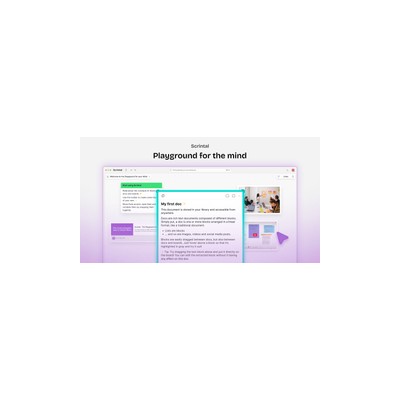
I dove into Scrintal with the hopes of finally conquering the chaos of my research notes, and I have to say, it’s a mixed bag. At its core, Scrintal offers an infinite canvas for visual note-taking and mind mapping, which sounds fantastic in theory. You can create a web of interconnected ideas using cards, images, and various media types, which can really help to clarify complex topics. The bi-directional backlinks are a standout feature, allowing you to link notes and concepts in a way that feels intuitive and fluid. This is particularly useful if you’re trying to keep track of multiple threads of thought or research topics that intersect in unexpected ways. My first few sessions felt like I was piecing together a puzzle, and I appreciated how the platform encouraged my creativity.
However, as I spent more time with Scrintal, I began to find some of its quirks frustrating. While the infinite canvas is liberating, it can also be overwhelming if you’re not careful. Without proper guidance, your notes can quickly spiral into a chaotic mess of cards and links, making it hard to find what you’re looking for. The lack of a clear hierarchy or organisational structure can leave you feeling lost amidst your own ideas. And let’s not forget about the pricing – while it’s marketed as a freemium tool, the free tier is quite limited, which means you might find yourself needing to upgrade sooner rather than later if you want to fully utilise its capabilities.
In terms of who should use Scrintal, I’d say it’s perfect for academics and researchers who thrive on visualisation and need to manage large volumes of information. The ability to see your thoughts laid out in front of you can spark new connections and insights, which is invaluable in a research setting. On the flip side, if you’re someone who prefers a more traditional, linear approach to note-taking, you might find Scrintal’s layout a little disorienting. It’s definitely not for everyone, and I’d recommend trying out the free version first to see if it clicks with your workflow before committing to a paid plan.
In conclusion, Scrintal has a lot going for it with its visual approach and innovative features, but it also has some significant drawbacks that could hinder your productivity if you’re not careful. It’s a tool that requires a certain mindset to fully appreciate, and while it works wonders for some, others may find it more trouble than it’s worth.
Our Review
Verified 11 May 2026Reviewed by Delv Editorial, Delv Team
When I first came across Scrintal, I was intrigued by the promise of visual note-taking and mind mapping. As someone who often grapples with the weight of research and information overload, I thought this tool might be just what I needed to wrangle my chaotic notes. The infinite canvas and the ability to create a web of interconnected ideas sounded like a dream come true. I dove in, excited to explore its features and see how it could transform my workflow.
What truly impressed me about Scrintal was the bi-directional backlinks. This feature allows you to link notes in both directions, creating a dynamic relationship between your ideas. I found this particularly helpful when I was working on a project that involved multiple sources and concepts. By linking related notes, I could easily navigate through my thoughts and see connections that I might have otherwise missed. The ability to incorporate images and other media types also enriched my note-taking experience, making it more engaging and stimulating.
However, it wasn’t all sunshine and rainbows. As I continued to use Scrintal, I started noticing some significant drawbacks. The infinite canvas, while liberating, can quickly become overwhelming if you’re not careful. Without a clear organisational structure, my notes began to resemble a jumbled mess rather than a cohesive web of ideas. I found myself spending more time searching for specific information than actually working on my projects. Additionally, the free tier felt quite limited, pushing me to consider a paid subscription sooner than I’d hoped.
In comparison to competitors like Miro and Notion, Scrintal offers a more visually stimulating approach to note-taking, but it lacks the structural clarity that some users might prefer. Miro, for example, provides a more guided experience that can help users stay organised, while Notion offers a blend of traditional note-taking and visualisation. It really comes down to personal preference – if you thrive on visualisation and creativity, Scrintal might just be your new favourite tool. But if you prefer a more straightforward approach to organisation, you may want to explore other options.
In conclusion, Scrintal is a double-edged sword. It has the potential to revolutionise the way you manage your notes and ideas, particularly if you’re a researcher or academic. Just be prepared for a bit of a learning curve and some initial chaos. I’d recommend starting with the free version to see if it fits your workflow before diving into a paid plan. Overall, it’s a fascinating tool that definitely has its strengths and weaknesses, and whether it’s right for you will depend on your personal style of working.
Getting started with Scrintal
In this guide, you'll learn how to set up Scrintal for visual note-taking and mind mapping. By the end, you'll be able to create interconnected notes and manage your research effectively.
Step 1: Sign up and set up
Step 2: Your first mind map
Step 3: Get better results
Pro tip
Use keyboard shortcuts to speed up your workflow. For example, press "N" to create a new note quickly, or "L" to link notes without using the mouse.
Common mistake to avoid
Avoid cluttering your canvas with too many cards at once. Start with a few key ideas, then expand gradually to maintain clarity and focus in your mind map.
The Verdict
Scrintal is worth considering if you thrive on visualising thoughts and ideas, particularly for research and academia. However, be mindful of its chaotic potential and limited free tier. If you prefer a more structured approach to note-taking, you might want to look elsewhere.
Best For
- Academics and researchers who need to manage complex information
- Students preparing for exams and organising study materials
- Freelancers brainstorming content ideas for multiple clients
- Project managers tracking interrelated tasks and teams
- Writers plotting out narratives and character arcs
At a Glance
Scrintal is a visual note-taking and mind mapping tool that excels in connecting ideas through an infinite canvas. Its bi-directional backlinks are a major asset for researchers and knowledge workers, but the chaotic nature of the platform can overwhelm those who prefer structure.
Strengths
- +The infinite canvas is a true playground for creativity, allowing users to visually organise thoughts without boundaries.
- +Bi-directional backlinks create a fluid connection between notes, making it easier to explore and analyse complex relationships between ideas.
- +The ability to incorporate various media types, such as images and links, enriches the note-taking experience and stimulates more dynamic thinking.
- +Scrintal's visual approach can lead to deeper insights by allowing users to see connections that might be missed in traditional linear note-taking.
- +The platform is particularly beneficial for collaborative efforts, making it easy to share and discuss interconnected ideas with colleagues.
- +The freemium model offers a decent starting point for users to test the waters before investing in a paid plan.
Limitations
- -The lack of a clear organisational structure can lead to chaos, making it difficult to locate specific notes or ideas after a while.
- -The free tier has significant limitations, which may frustrate users who want to explore the platform's full capabilities without committing to a subscription.
- -The learning curve can be steep for those not accustomed to visual note-taking, which might deter traditional note-takers from fully engaging with the tool.
- -Some users may find the interface cluttered, especially when dealing with larger projects that involve numerous cards and links.
- -Exporting notes can be a hassle, as the formatting does not always translate well to other platforms, which can be a pain if you need to share your work.
Use Cases
- -Researchers compiling literature reviews who need to visualise connections between different studies and ideas.
- -Students preparing for exams who want to create mind maps to connect various topics and concepts.
- -Freelancers brainstorming content ideas for clients, allowing them to organise their thoughts visually before drafting.
- -Project managers who need to track multiple threads of a project and the relationships between tasks and team members.
- -Writers looking to plot out complex narratives and character relationships in a visually engaging way.







