
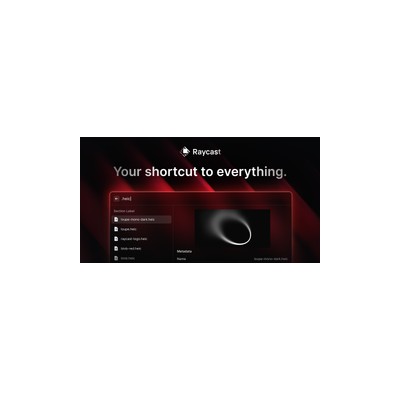
About Raycast
Raycast is a keyboard-first launcher for Mac that aims to replace your traditional Spotlight search with something a bit more snazzy. I tested it out extensively, and I have to admit, the way it integrates AI chat capabilities with workflow extensions is pretty impressive. This isn't just about launching apps or finding files; it's about creating a productivity powerhouse that caters to your every whim—all from your keyboard. The AI aspect feels like a cherry on top, rather than the main course, but it certainly adds a nice touch to the overall experience.
One of the features that stood out during my testing was the clipboard history management. It’s such a simple idea, yet it’s executed brilliantly. You can access previously copied text snippets without breaking a sweat, which is a lifesaver for anyone who deals with lots of copy-pasting throughout the day. Then there’s the snippets storage, which allows you to save frequently used text blocks for quick access. This means no more typing out the same email responses or code snippets over and over again—definitely a time-saver! Plus, the window management feature helps keep your workspace tidy, although I did find it a bit clunky at times.
Now, let’s talk pricing. Raycast operates on a freemium model, which means you can dip your toes in without spending a penny. The free tier is genuinely useful, but if you want to unlock all the bells and whistles, the Pro version will set you back about £7 per month, which isn’t too shabby considering what you get. However, with existing competitors like Alfred and LaunchBar, you might find yourself weighing your options carefully. Raycast does offer a more modern interface and better integration with third-party apps, but it may not completely win over die-hard Alfred fans.
In my experience, Raycast is perfect for creative professionals and developers who thrive on speed and efficiency. If you’re someone who enjoys the thrill of keyboard shortcuts and can’t be bothered with the mouse, this tool is tailor-made for you. However, if you’re a casual user who’s just looking for a way to find files quickly, the learning curve might feel a bit steep. I’d also caution against relying too heavily on the AI features; while they’re handy, they sometimes miss the mark when it comes to understanding more complex requests. Overall, Raycast is a solid tool, but it’s not without its quirks.
Our Review
Verified 11 May 2026Reviewed by Delv Editorial, Delv Team
I recently dove into the world of Raycast, the keyboard-first launcher for Mac that promises to make your life easier. Now, I’ve been using Spotlight for years, so I was curious to see how this newcomer would stack up. What I found was a tool that’s not just about launching apps but also about creating a more streamlined workflow with some nifty AI enhancements. The interface is sleek and modern, which is a breath of fresh air compared to some of the clunkier alternatives out there.
One of the first features I tried was the clipboard history management. I can't even begin to tell you how much time I saved not having to re-copy text snippets throughout my workday. It’s as if Raycast knows exactly how I work—just when I needed that last email reply I sent or a chunk of code I copied, it was readily available. That’s a win in my book. I also loved the snippets storage feature; I can’t tell you how many times I’ve had to type out the same responses to clients. With Raycast, I can just save those snippets and recall them instantly. This is especially useful if you’re in a fast-paced environment and need to keep things moving.
However, it’s not all sunshine and rainbows. The learning curve for Raycast can be a bit steep, particularly if you’re not someone who’s used to a keyboard-first approach. I found myself fumbling with shortcuts more than I’d like to admit, and there were moments where the AI chat feature didn’t quite hit the mark. It would give me answers that were either too vague or completely off-base, which was frustrating when I just needed a quick response.
In terms of pricing, Raycast operates on a freemium model, which is great for those who want to test the waters before committing. The Pro version, priced around £7 a month, unlocks all the best features, which I think is reasonable given the time it can save you. However, if you’re already a fan of Alfred or LaunchBar, you might hesitate to switch. Raycast certainly offers a modern twist on the classic launcher experience, and its integration with numerous third-party services is a definite plus.
In conclusion, I’d say Raycast is a solid investment for Mac users, particularly those in creative and tech fields who thrive on speed and efficiency. If you’re willing to put in the time to learn the ins and outs, I think it could become an essential part of your workflow. On the flip side, if you’re a casual user who just wants to find files quickly, you might find it a bit overkill. Overall, it’s a tool that has the potential to transform how you work, but you need to be ready to embrace its quirks.
Getting started with Raycast
In this guide, you'll learn how to set up Raycast, a powerful keyboard launcher for your Mac, and start using its AI features and workflow extensions to boost your productivity.
Step 1: Sign up and set up
Step 2: Your first search
Step 3: Get better results
Pro tip
Take advantage of custom commands by creating your own workflows. In the "Extensions" menu, select "Create Command" to automate repetitive tasks, saving you time on frequent actions.
Common mistake to avoid
Avoid relying solely on the mouse. Raycast is designed to be keyboard-first, so practice using keyboard shortcuts for quicker navigation and improved efficiency.
The Verdict
Raycast is a worthwhile tool for Mac users who crave speed and efficiency in their workflows, especially for developers and creatives. However, casual users may find the learning curve steep and the features overwhelming, so if you're just looking for a simple launcher, it might be best to stick with Spotlight.
Best For
- Developers who need quick access to code snippets and documentation.
- Freelancers managing multiple client communications and projects.
- Content creators who often find themselves copying and pasting text.
- Project managers looking to streamline collaboration across different tools.
- Students seeking to organise their study materials efficiently.
At a Glance
Raycast transforms the way Mac users launch apps and manage workflows with its keyboard-first approach and AI capabilities. While it shines with features like clipboard history and snippet storage, it may take some time to master for casual users.
Strengths
- +The clipboard history management is a game-changer, allowing you to access previously copied items quickly, which saves a lot of time during busy work sessions.
- +Snippets storage is incredibly useful, especially for repetitive tasks, letting you store and quickly recall text blocks without having to retype them.
- +The window management feature helps maintain a tidy workspace, allowing you to switch between apps efficiently and keep your desktop from becoming cluttered.
- +Raycast's AI chat capabilities can assist in finding information or generating text, which can be particularly handy for quick queries or brainstorming sessions.
- +The freemium pricing model allows users to explore the tool without commitment, making it accessible for those who want to try it out before shelling out cash.
- +Integration with numerous third-party tools and services means you can centralise your workflow and connect your favourite apps for a more cohesive experience.
Limitations
- -The learning curve can be steep for new users; the multitude of features and keyboard shortcuts might overwhelm those who are used to simpler launchers.
- -The AI chat feature occasionally misses the mark, sometimes providing irrelevant or vague responses that require additional clarification.
- -While the free tier is useful, many of the best features are locked behind the Pro subscription, which may not appeal to every user.
- -The window management could feel a bit clunky and may not work as smoothly as expected, especially when juggling multiple apps or windows.
- -Raycast may not fully replace traditional workflows for everyone, particularly for users who are very accustomed to their existing tools like Alfred.
Use Cases
- -Developers who need to quickly access code snippets or documentation without breaking their coding flow will find Raycast invaluable.
- -Freelancers juggling multiple projects and clients can streamline their workflow by using snippets for frequent email responses and quotes.
- -Content creators who often copy and paste text will benefit from the clipboard history feature, allowing them to retrieve past content with ease.
- -Project managers coordinating between various apps can use Raycast to launch tools and manage tasks quickly, saving precious time during meetings.
- -Students looking to organise their study materials can utilise snippet storage for quick access to key information or common phrases.
- -Remote teams can enhance collaboration by integrating Raycast with tools like Slack or Notion, keeping everything organised and easily accessible.







