
About Routine
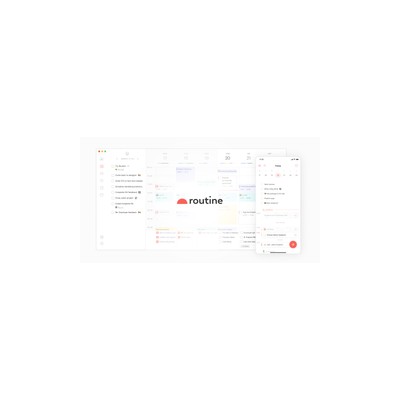
Routine attempts to be the one-stop-shop for your daily planning needs, and I must say, it’s an interesting concept. Combining tasks, calendar events, and notes into a single interface is ambitious, especially for someone like me who is always juggling multiple projects and deadlines. The drag-and-drop functionality is a nice touch; it allows me to easily rearrange my agenda on the fly without feeling like I’m wrestling with the software. The AI component is meant to help prioritise tasks based on my past behaviours, which could be a real time-saver if it actually gets it right. However, I found that it doesn't always nail the prioritisation – sometimes it suggested tasks that were less urgent over things that were screaming for my attention.
The layout is clean and intuitive, which is a big win for me. I’m not a fan of cluttered interfaces that make me want to throw my laptop out of the window, and thankfully, Routine avoids that pitfall. The integration of tasks and notes means I can jot down ideas for my articles right next to deadlines for submissions. It’s also worth noting that the freemium model allows users to dip their toes in without committing full bucks upfront, which is refreshing. However, I did feel that the free tier is quite limited; you’ll find yourself hitting walls if you try to do too much without upgrading.
In terms of pricing, while they don’t have specific tiers listed, I found that the free version doesn’t give you access to some of the more advanced features, like advanced AI task suggestions or customisation options. For someone who is serious about their productivity, this could be a deal-breaker. Those who are just looking for a simple planner might find it decent enough, but as someone who relies heavily on these tools for my work, I’d want to see more value for upgrading. Overall, Routine has potential, but it needs to refine its AI to be truly effective and justify its paid plans.
I’d recommend it to busy professionals or students who like the idea of having everything in one place. However, for those who rely on more comprehensive task management features or need advanced integrations with other tools, you might want to look elsewhere before committing to this one. Routine is certainly on the right path, but it has a way to go before it’s a must-have in my toolkit.
Our Review
Verified 11 May 2026Reviewed by Delv Editorial, Delv Team
So, I recently decided to give Routine a whirl, and my first impression was pretty positive. The concept of combining tasks, calendars, and notes into one neat little package sounded like exactly what I needed to tame my chaos. With deadlines for articles, meetings, and a never-ending list of tasks, having everything in one place seemed like a dream come true.
The interface is sleek and simple, which I absolutely adore. I jumped right in without feeling overwhelmed by clutter, and the drag-and-drop feature? Genius. I could move things around in my schedule with ease, which made adjusting my plans feel less like a chore and more like a light workout for my organisational skills. However, I soon realised the AI component isn’t as reliable as I’d hoped. More than once, it suggested I tackle tasks that were lower priority, while the deadlines I was staring at went unattended. This inconsistency could be a real headache for someone who depends heavily on accurate prioritisation.
Another aspect that caught my attention was the freemium model. It’s quite appealing because it lets you get a taste of the features without opening your wallet immediately. But here’s the catch: if you want to really get the most out of Routine, you’ll likely need to upgrade, as the free version is quite limited. I found myself bumping into restrictions that made it frustrating to use for anything beyond basic planning. For someone like me who thrives on advanced features, the limitations were a bit of a downer.
In comparison to competitors like Todoist and Notion, Routine feels like it’s still finding its feet. Todoist offers far superior task management, while Notion allows for a level of customisation that Routine lacks. If you’re serious about your productivity tools, you might find yourself gravitating towards those options instead.
However, if you’re a busy professional or a student looking for a straightforward way to manage your day without getting bogged down by too many features, Routine could be just the thing. It’s easy to use, and the potential is promising. Just be prepared for the occasional AI suggestion that might make you want to throw your phone. Overall, I’d say it’s worth a try, especially if you’re looking for something simple to start with, but don’t expect it to revolutionise your planning style overnight.
Getting started with Routine
In this guide, you will learn how to set up Routine, an AI-powered daily planner that combines tasks, calendar events, and notes into one app. You’ll be ready to organise your day efficiently in under five minutes.
Step 1: Sign up and set up
Step 2: Your first task
Step 3: Get better results
Pro tip
Set up recurring tasks by clicking on the “Repeat” option when adding a task. This saves time on tasks you need to complete regularly.
Common mistake to avoid
Avoid neglecting the AI prioritisation feature. Many users forget to use it, which can lead to disorganisation and missed deadlines. Always check the suggested task order for optimal productivity.
The Verdict
Routine has a solid concept and is a decent option for those seeking a straightforward way to manage tasks, notes, and calendars all in one app. However, its AI prioritisation is hit-or-miss, and the limitations of the free tier may frustrate serious users. If you’re just starting on your productivity journey, give it a go, but seasoned planners might want to explore more comprehensive alternatives.
Best For
- Busy professionals who need to keep track of multiple commitments in one place.
- Students trying to juggle various deadlines and projects.
- Freelancers who want an easy way to manage tasks and notes.
- Individuals looking for a straightforward planning tool without unnecessary complexity.
At a Glance
Routine is a fresh take on daily planning, merging tasks, calendars, and notes into one intuitive interface. While its AI aims to enhance focus and prioritisation, it sometimes misses the mark, making it more suitable for casual users than hardcore planners.
Strengths
- +The clean and intuitive interface makes it easy to navigate - I was able to get started without a lengthy onboarding process, which is a relief.
- +The drag-and-drop functionality is genuinely useful - it allows me to rearrange my schedule quickly, making it less of a chore to stay organised.
- +Integrating tasks, notes, and calendar events into one app is a great concept - it saves me from switching between multiple tools and helps keep everything in one place.
- +The freemium model allows new users to test the waters without a financial commitment - it’s a smart way to attract users who are hesitant to pay upfront.
- +The AI suggestions for task prioritisation can save time - when they work, they can help me focus on what’s truly important rather than getting lost in a sea of to-dos.
Limitations
- -The AI prioritisation often misses the mark - I found it suggesting less urgent tasks over things that demanded my immediate attention, which can derail my day.
- -The free version is quite limited - without upgrading, users may find themselves restricted in functionality, which could deter serious users.
- -The mobile experience is underwhelming - the app lacks some key features available on the desktop version, making it less useful when I’m on the go.
- -Customisation options are minimal - if you like to personalise your planning tools, you might find Routine a bit too rigid for your taste.
- -There are no advanced integrations with other productivity tools - for someone who relies on apps like Slack or Trello, this could be a significant drawback.
Use Cases
- -Busy professionals who need a central hub for tasks, appointments, and notes without switching between apps.
- -Students juggling multiple deadlines and projects, who would benefit from having everything organised in one place.
- -Freelancers wanting to streamline their workflow by combining project notes and deadlines in a single tool.
- -Anyone looking for a simple way to manage daily tasks without the complexity of more advanced project management tools.
- -Individuals who appreciate a clean interface and straightforward functionality over extensive features.







