
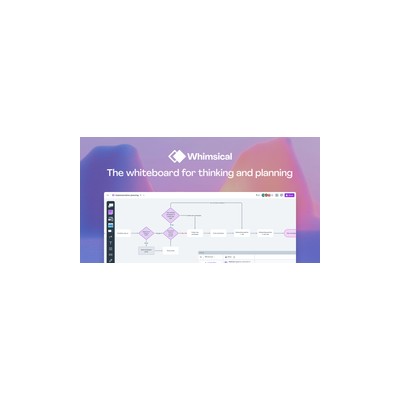
About Whimsical AI
Whimsical AI is a visual thinking tool that allows users to create flowcharts, wireframes, mind maps, and documents with the added twist of AI capabilities. The platform is designed to facilitate rapid ideation and project planning, making it especially popular with product teams and creative professionals. What sets Whimsical apart is its clean and intuitive interface, which enables users to snap elements into place, automatically route connections, and collaborate in real time without the steep learning curve that often comes with heavier diagramming tools. I found it refreshing to dive into a tool that prioritises speed and simplicity while still offering a variety of features.
One of the standout features is the AI functionality, which can generate diagrams from text descriptions. For example, when I typed out a rough idea for a flowchart, the AI produced a visually appealing diagram that I could then tweak to my liking. Additionally, it can expand branches in mind maps with suggested nodes, which is particularly handy when brainstorming ideas. The ability to draft, summarise, and restructure documents with AI is another highlight. However, I did notice that while the AI is useful, it can sometimes misinterpret complex instructions, leaving you with a diagram that requires a fair bit of manual adjustment.
Pricing-wise, Whimsical operates on a freemium model. The free Starter plan is decent for casual users, giving you access to limited boards and AI generations. However, for more serious users, the Pro plan at $10 per month is necessary to unlock unlimited boards, version history, and increased AI usage, which is quite reasonable compared to competitors like Lucidchart and Miro, which can get pricey quickly. The trade-off for the free version is that you’re restricted in how much you can create, which could be a dealbreaker for teams that need to collaborate frequently.
In my opinion, Whimsical AI is an excellent choice for teams focused on quick project planning and visualisation, but it may not be the best fit for those who require more advanced features or customisation options that other tools offer. If you’re looking for something that keeps things straightforward and efficient, this tool is worth a look. However, if your needs extend beyond the basics, you might want to consider alternatives that provide more flexibility and depth.
Our Review
Verified 11 May 2026Reviewed by Delv Editorial, Delv Team
When I first stumbled upon Whimsical AI, I thought, 'Ah, another diagramming tool.' But after spending some quality time with it, I realised it’s a breath of fresh air in a sea of overly complex software. The speed at which you can create flowcharts and wireframes is genuinely impressive. I simply typed out a text description of a workflow, and before I knew it, Whimsical had whipped up a clean flowchart that I could tweak. It’s like having a super-fast design assistant right by your side.
What really struck me was the real-time collaborative feature. I was working with a colleague (who’s notoriously picky about design), and we could both jump in and make changes simultaneously. It felt like we were in the same room, bouncing ideas off each other, which is a rare treat when most tools drag their feet on collaboration. Plus, the user interface is refreshingly straightforward. I didn’t have to sift through endless menus to find what I needed, which is a win in my book.
However, it’s not all rainbows and butterflies. The AI features, while impressive, occasionally flounder when faced with complex instructions. I found myself correcting a fair bit of what it generated, which can be a bit annoying when you’re in the flow of brainstorming. And let’s talk about the free tier. It’s a nice intro, but if you’re serious about using Whimsical, the Pro plan at $10 a month is basically a must-have. The limited boards on the free version just won’t cut it for teams that need to collaborate regularly.
Comparing Whimsical to competitors like Lucidchart, it’s clear that while Whimsical excels in speed and simplicity, it lacks some of the advanced features that Lucidchart offers. If you need extensive customisation or integrations, you might find Lucidchart more suitable. But for teams that value efficiency and quick turnarounds, Whimsical is a solid choice.
In conclusion, I’d recommend Whimsical AI to teams that need a straightforward, fast tool for visualisation tasks. If you’re a product manager, UX designer, or even a student needing to map out ideas quickly, this tool will serve you well. However, if your needs are more complex, you might want to explore other options that provide deeper functionality. Overall, it’s a delightful tool that can significantly speed up your workflow without the usual headaches.
Getting started with Whimsical AI
In this guide, you'll learn how to create flowcharts, wireframes, and mind maps using Whimsical AI. By the end, you’ll be able to generate diagrams from text descriptions and collaborate with others effectively.
Step 1: Sign up and set up
Step 2: Your first flowchart
Step 3: Get better results
Pro tip
To save time, use keyboard shortcuts. For example, press "N" to create a new node and "Tab" to connect it to the previous one quickly.
Common mistake to avoid
Avoid overcrowding your diagrams with too many nodes. Keep your flowcharts clear and concise to ensure they are easy to understand. Focus on the main points and use sub-diagrams for detailed sections.
The Verdict
Whimsical AI is a solid recommendation for teams seeking a fast, user-friendly visual thinking tool. It’s perfect for product managers, UX designers, and marketing teams needing quick ideation and collaboration. However, if you require complex customisation or extensive features, you might want to look elsewhere.
Best For
- Product managers looking for quick visualisation of workflows
- UX designers needing rapid wireframe sketches
- Marketing teams brainstorming campaign ideas
- Students creating mind maps or project plans
- Freelancers drafting client documentation quickly
At a Glance
Whimsical AI is a visual thinking tool that combines quick diagram creation with smart AI functionalities, allowing users to generate flowcharts, wireframes, and mind maps from text descriptions. Its intuitive interface makes it perfect for teams needing rapid ideation and collaboration, though more complex projects may require additional tools.
Strengths
- +The AI diagram generation is impressively quick - just type a description, and the tool creates a flowchart or mind map in seconds, saving you time and effort.
- +Real-time collaboration is a breeze, allowing teams to work together seamlessly, which is a game-changer for remote teams or brainstorming sessions.
- +The user interface is clean and minimalistic, meaning that even those who aren't tech-savvy can dive right in without feeling overwhelmed.
- +The ability to draft and restructure documents using AI is particularly useful for quickly putting together project specifications or meeting notes.
- +The pricing is quite reasonable, especially for the features included in the Pro plan, making it accessible for small teams and startups.
Limitations
- -The AI can be hit or miss, often misinterpreting more complex instructions, which can lead to frustration when trying to get a specific visual output.
- -The free Starter plan is quite limited, which may not be enough for teams that need to create multiple diagrams or collaborate extensively.
- -Some users might find the lack of advanced customisation options a drawback, especially if they are used to more feature-rich platforms.
- -The mobile experience is lacking; it feels like an afterthought and doesn't include many of the features available on the web version.
- -There’s no offline mode, which can be a hassle if you're in a location with poor internet connectivity.
Use Cases
- -Product managers who need to quickly visualise user journeys or workflows during team meetings.
- -UX designers looking for a fast way to sketch out wireframes based on client specifications.
- -Marketing teams brainstorming campaign ideas and needing to map out concepts in real time.
- -Students or educators creating mind maps for project planning or summarising information.
- -Freelancers needing to generate quick documentation for client projects without getting bogged down.







